
Plan the scene
Import your screenplay, break it into scenes and create storyboards. Give each shot a place in the story.

 Cinebrio
Free to use / Coming soon for Mac
Plan your shots, generate new takes and build the edit
in one desktop studio.
Import your screenplay, break it into scenes and create storyboards. Give each shot a place in the story.

Bring your characters, locations and props into the generation process. Keep the alternatives, then choose your take.
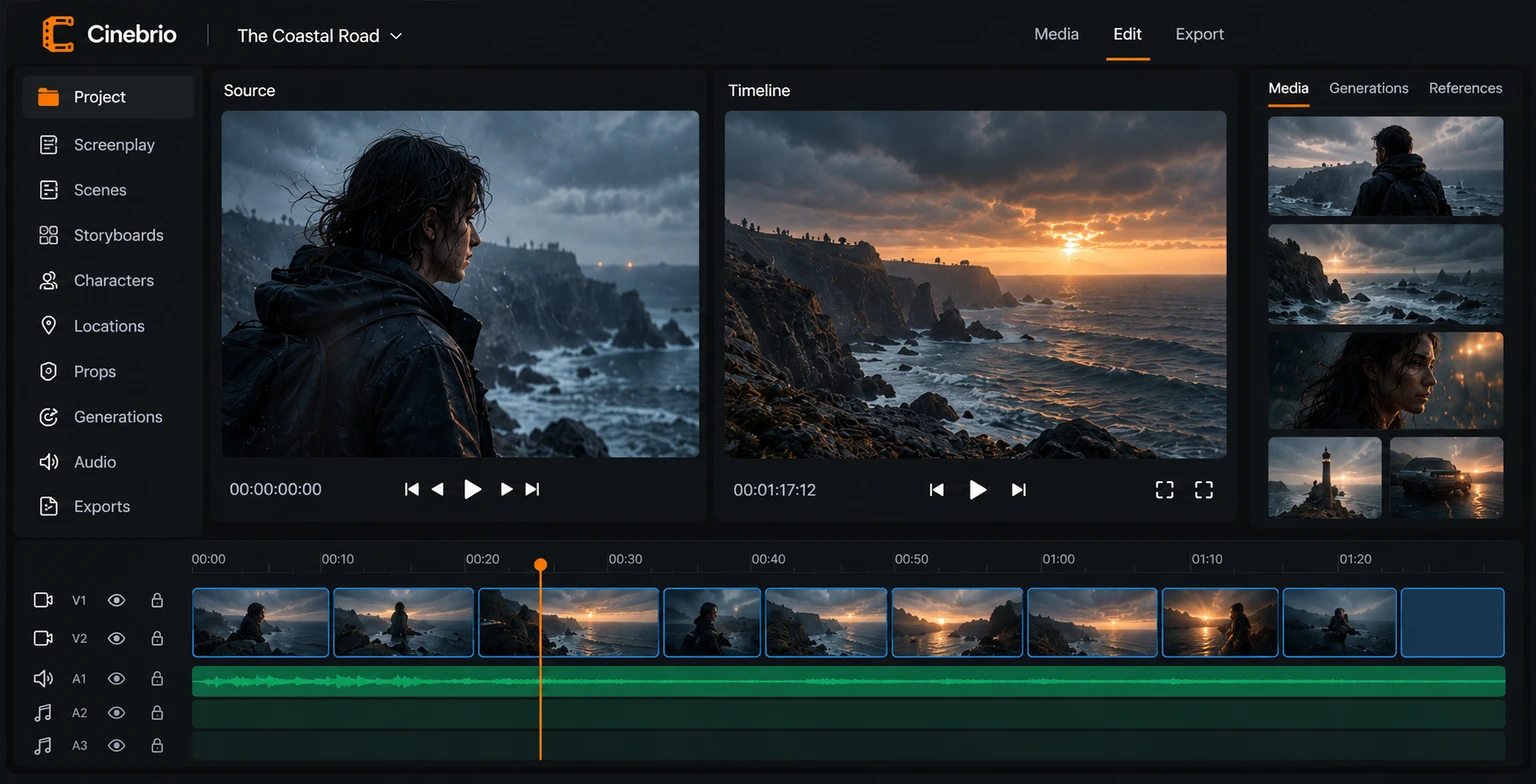
Cut picture and sound on a familiar timeline. Work scene by scene or shape the whole film in one sequence.
Inside Cinebrio
From the first scene breakdown to the export, each part of the film stays connected. Here’s what we’re building for the first release.
Import Fountain, Final Draft, PDF or plain text. Review the scene breakdown and keep the original screenplay with your project.
Organise scenes and shots, add framing and action notes, and choose a preferred panel. Use approved frames for compatible video generations.
Keep character, location and prop images with their notes. Reference them from your prompt, with inputs matched to the model you choose.
Generate images and video through supported models. Keep prompts, settings and alternative takes together, so you can return to earlier ideas.
Trim, split, ripple, slip and slide. Work with separate source and timeline viewers, linked scene sequences, titles, captions and markers.
Arrange dialogue, music, ambience and effects alongside the picture. Adjust clip levels and fades in the same sequence as your edit.
Browse drives, sort media into bins and choose linked files or project copies. Collect media, relink missing files and use playback proxies.
Export a whole sequence or a selected range in H.264, HEVC or ProRes. Keep the project and its original media for the next cut.
Cinebrio is still being developed. Features and model availability may change before release.

Built for the way films are made
Your project, media and edits, organised locally. Room to try another take, change a scene and find the film in the edit.
Be there for the first releaseA few useful details
Cinebrio is in active development. There isn’t a public release date yet. Join the waitlist for launch news and opportunities to try early versions.
Cinebrio is a native desktop app, coming first to Mac. Your projects, media and editing live on your computer. Windows and Linux are longer-term plans.
No. You can start with media and an empty sequence, create a storyboard, or import a screenplay and work scene by scene. The script is useful when you have one, but it isn’t a requirement.
The generation workflow is being built around fal.ai, including supported image and video models from families such as Seedance, Kling and Veo. Available versions, reference inputs and settings depend on the provider. We’ll confirm the release catalogue nearer launch.
Yes. Cinebrio will be free to use for planning, organising your media, editing and exporting your films. Optional AI generation uses your own fal.ai account, which bills you directly for the generations you submit. Cinebrio adds no markup.
Local project organisation and editing are designed to work without an internet connection once your media is on disk. Cloud generation and reference uploads require a connection.
Dedicated Effects and Colour workspaces, more advanced audio tools, collaboration and local model execution are future plans. They are not promised as part of the first release.
Free to use / Coming soon for Mac
Get launch news and the chance to try Cinebrio early.